Buyers start from their pet
People don't browse "all toys". They look for something for their cat or their dog.
Design response
Cats and Dogs as the main navigation, on the header and in the menu.
patipaw is the online shop of one maker who sews and knits toys for cats and dogs. I designed it for desktop and mobile, from research and wireframes to a design system and a prototype you can try below.
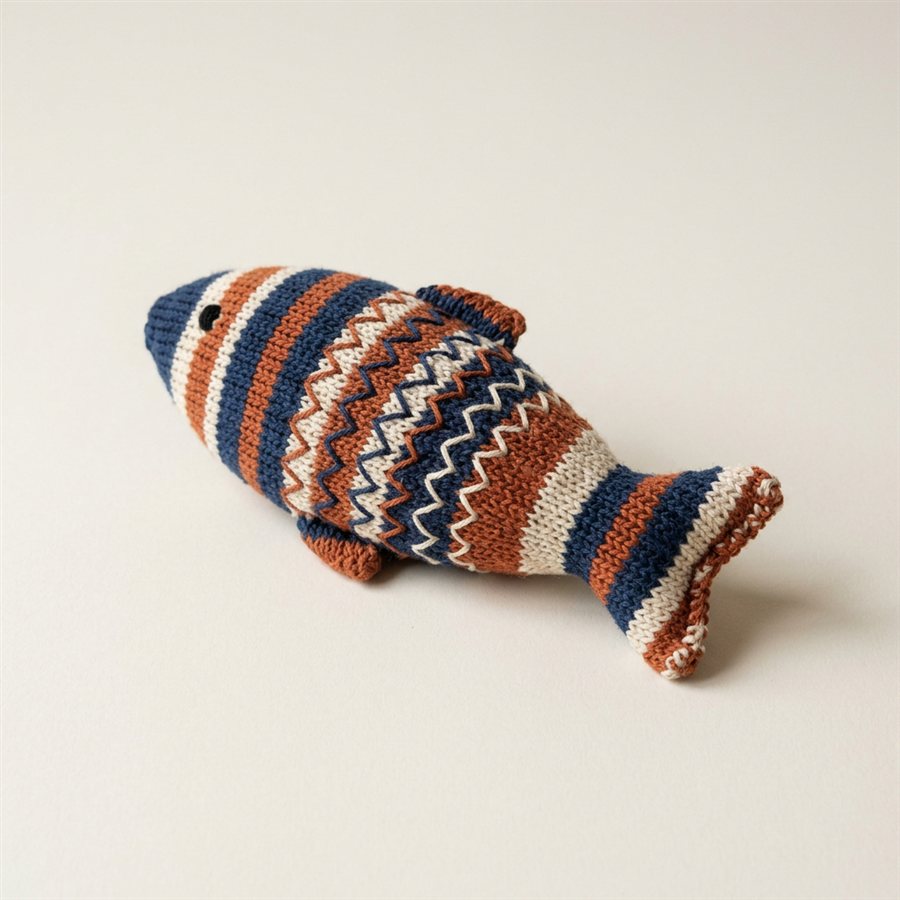
My client sews and knits toys for pets at home, from cotton, wool and linen. They sold through friends and social media, which meant answering every question by message and losing track of orders.
They wanted a simple shop under their own name: show the toys, explain what they are made of, and let people buy without writing first. Most of their visitors arrive from social media on a phone, but many order later on a computer, so the shop had to work on both.
The result: a responsive shop with two clear paths, cats and dogs, honest product details, and a footer that answers the questions buyers used to send by message. All of it on one accessible design system.
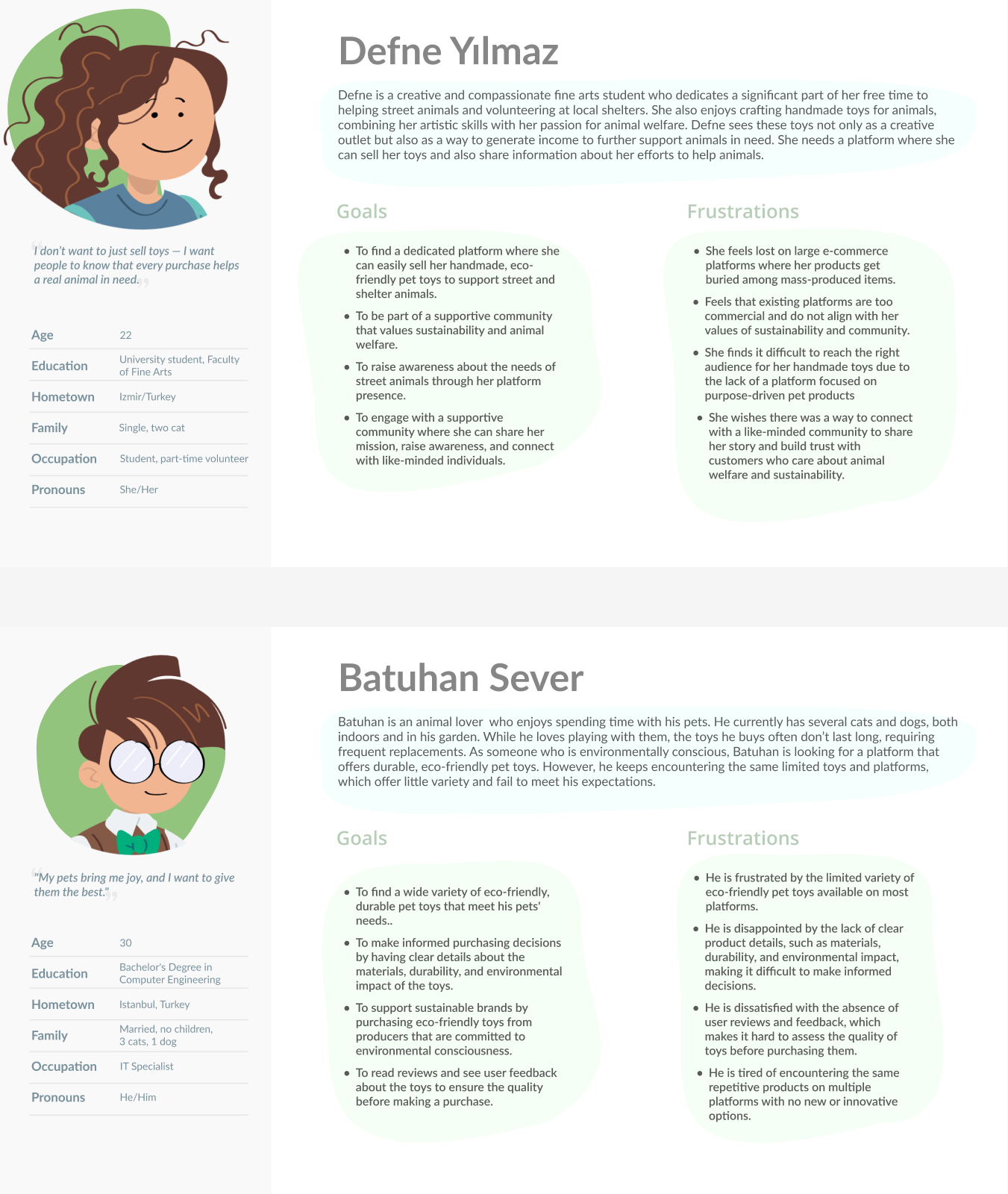
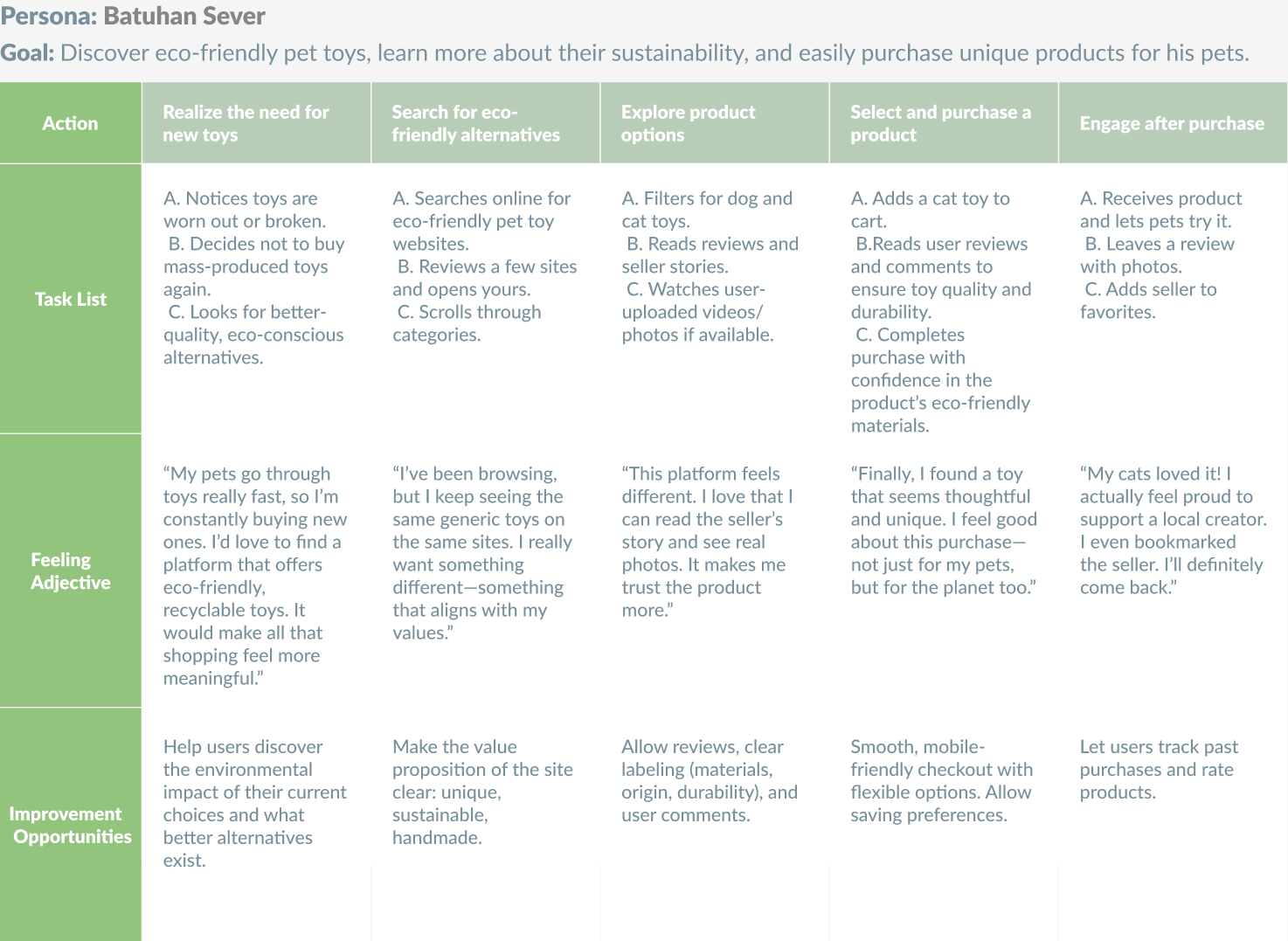
I framed the problem around two people: Defne, a maker who sells what they sew and wants buyers to see the care in it, and Batuhan, a buyer who wants durable, safe toys and reads every detail before paying. A journey map followed Batuhan from noticing the need to coming back after the purchase.
The personas came from three sources: conversations with my client about how they make, price and ship their toys; short interviews with pet owners about how they choose toys and what makes them trust a small seller; and a review of how craft shops and large pet stores present their products.
People don't browse "all toys". They look for something for their cat or their dog.
Cats and Dogs as the main navigation, on the header and in the menu.
Batuhan wants to know a toy is safe and lasts before paying for it.
Every product card names its material in one line, under the name and price. The product page adds materials, care and delivery.
Without a big brand, buyers look for proof: other owners, returns, how it ships.
Reviews that show the buyer's name, the date and the toy they bought, plus four clear promises: natural materials, made by hand, packaging, shipping and returns.
Most messages asked the same things: what it's made of, when it ships, how to return it.
An About page with the story and materials, and help links in every footer.
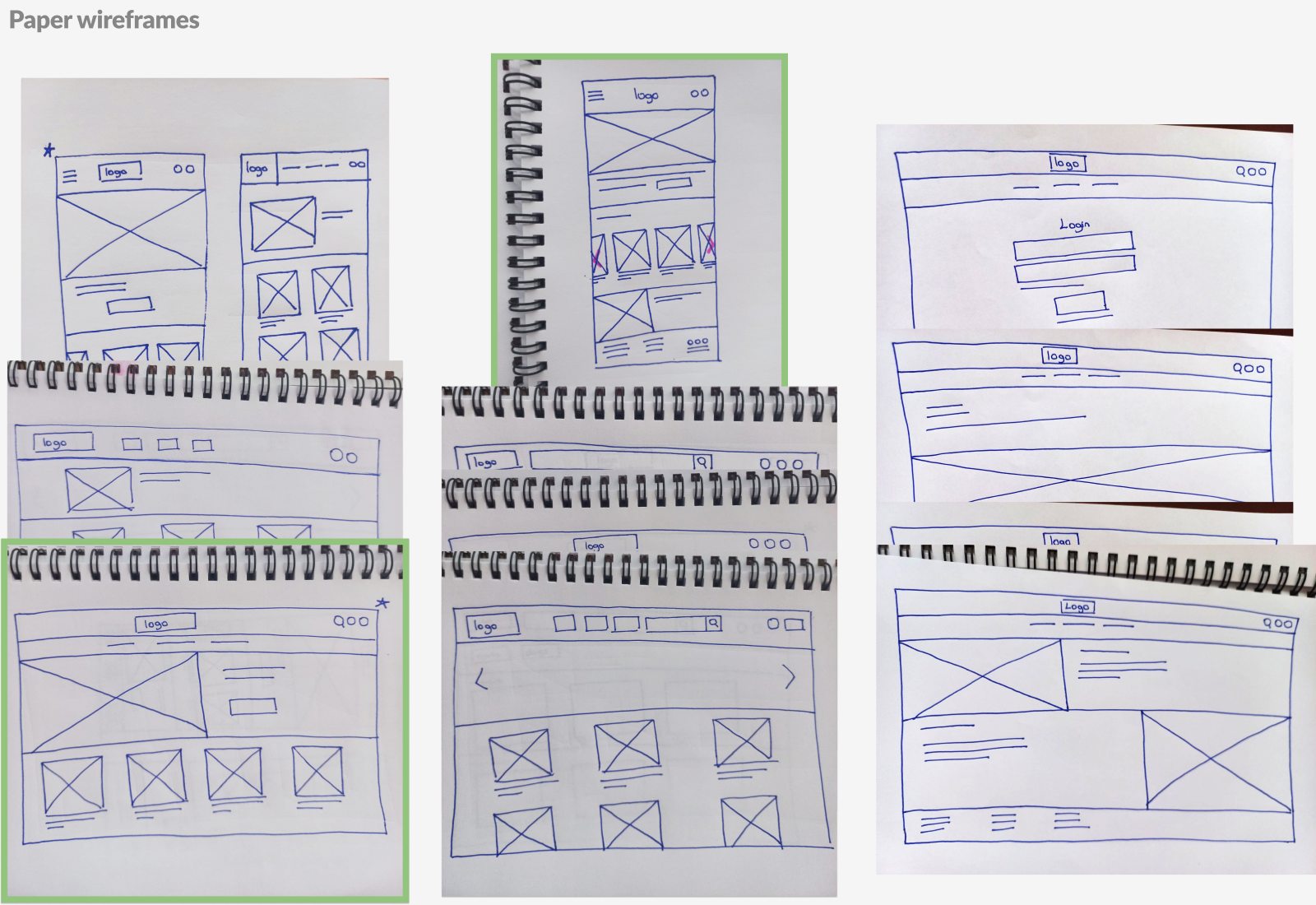
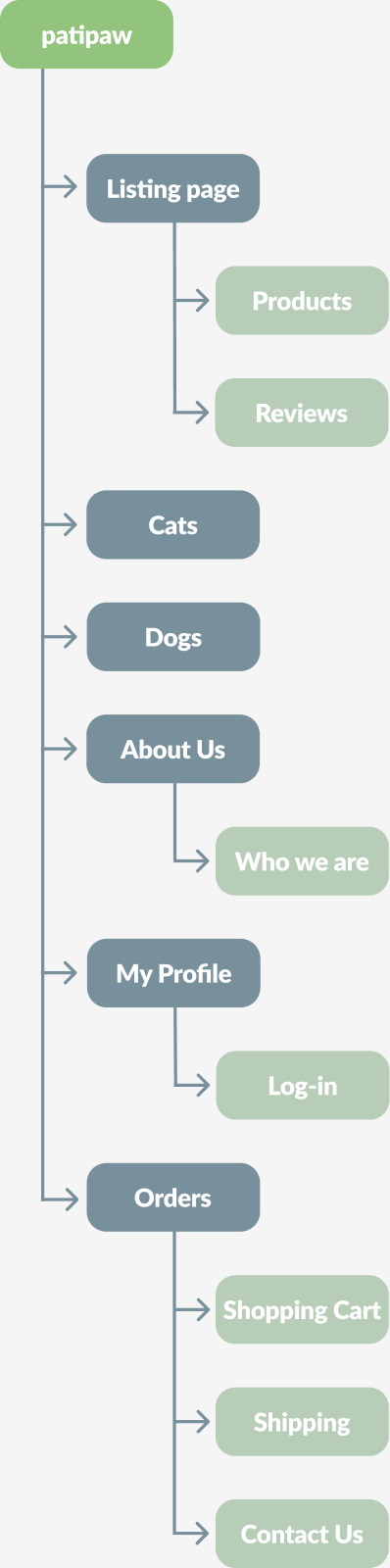
I sketched the main screens on paper, then built low-fidelity wireframes for mobile and desktop. The structure stayed small on purpose: one maker doesn't need a marketplace, just two categories, a story and a cart.
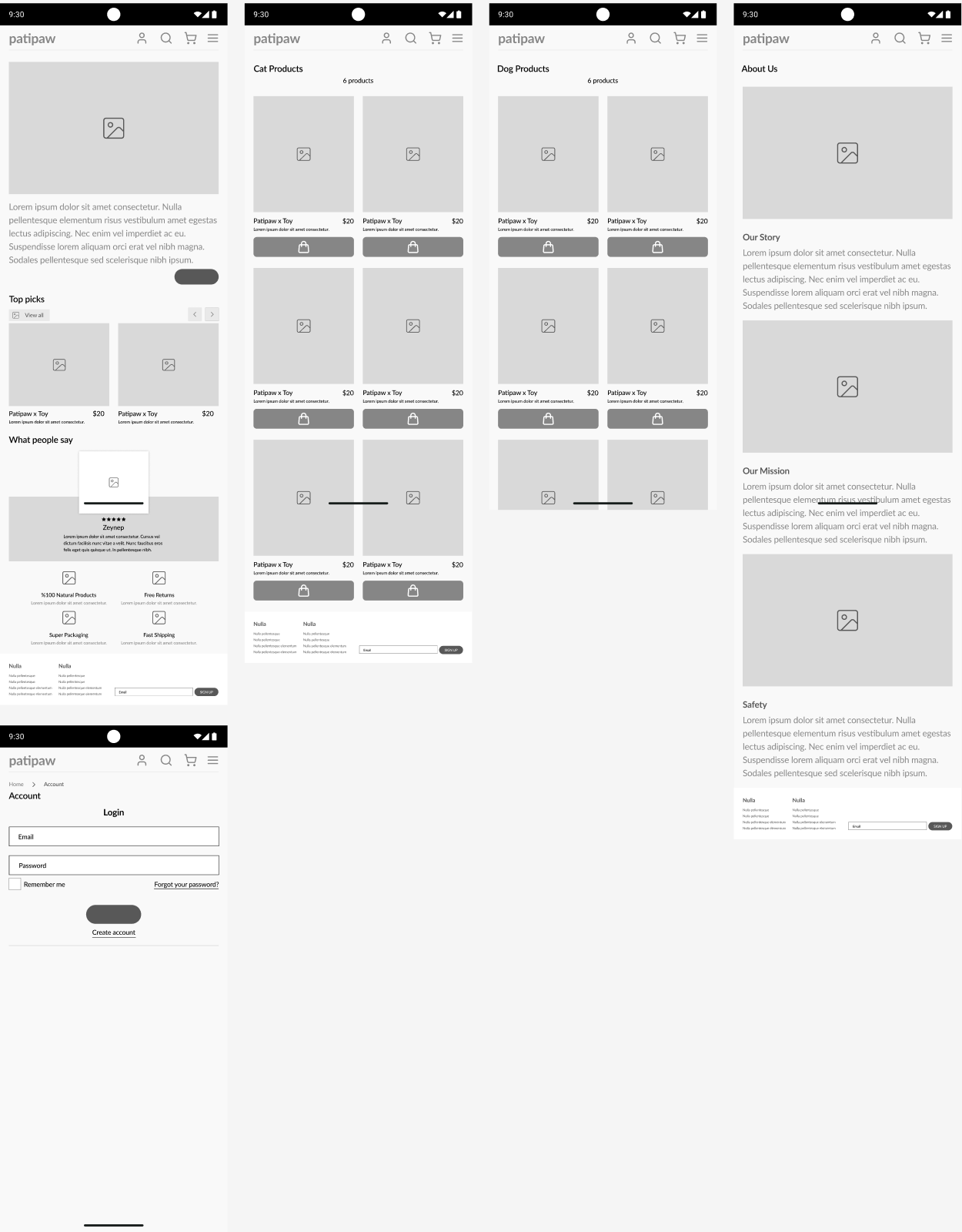
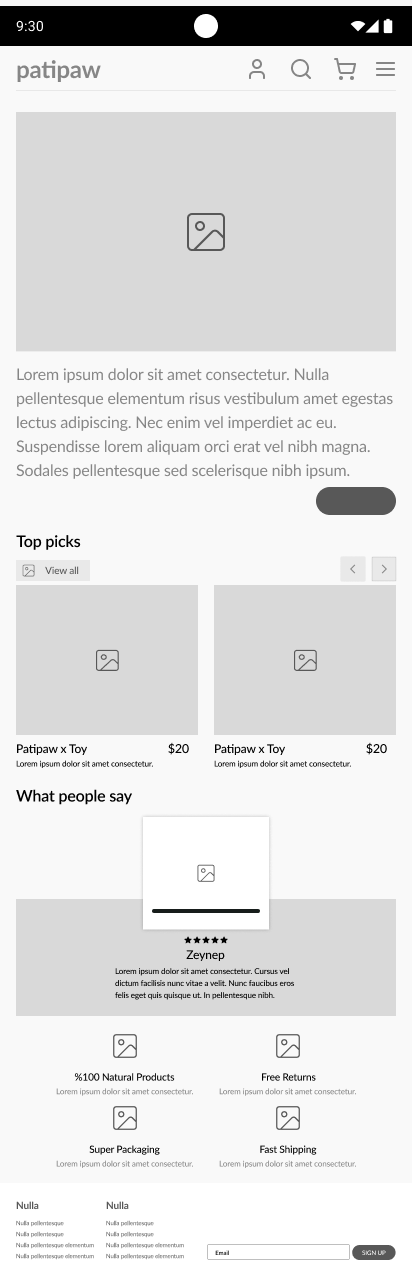
The high-fidelity screens follow the wireframes block by block. What changed is what fills them: photos, materials, prices and a clear green action on every screen.
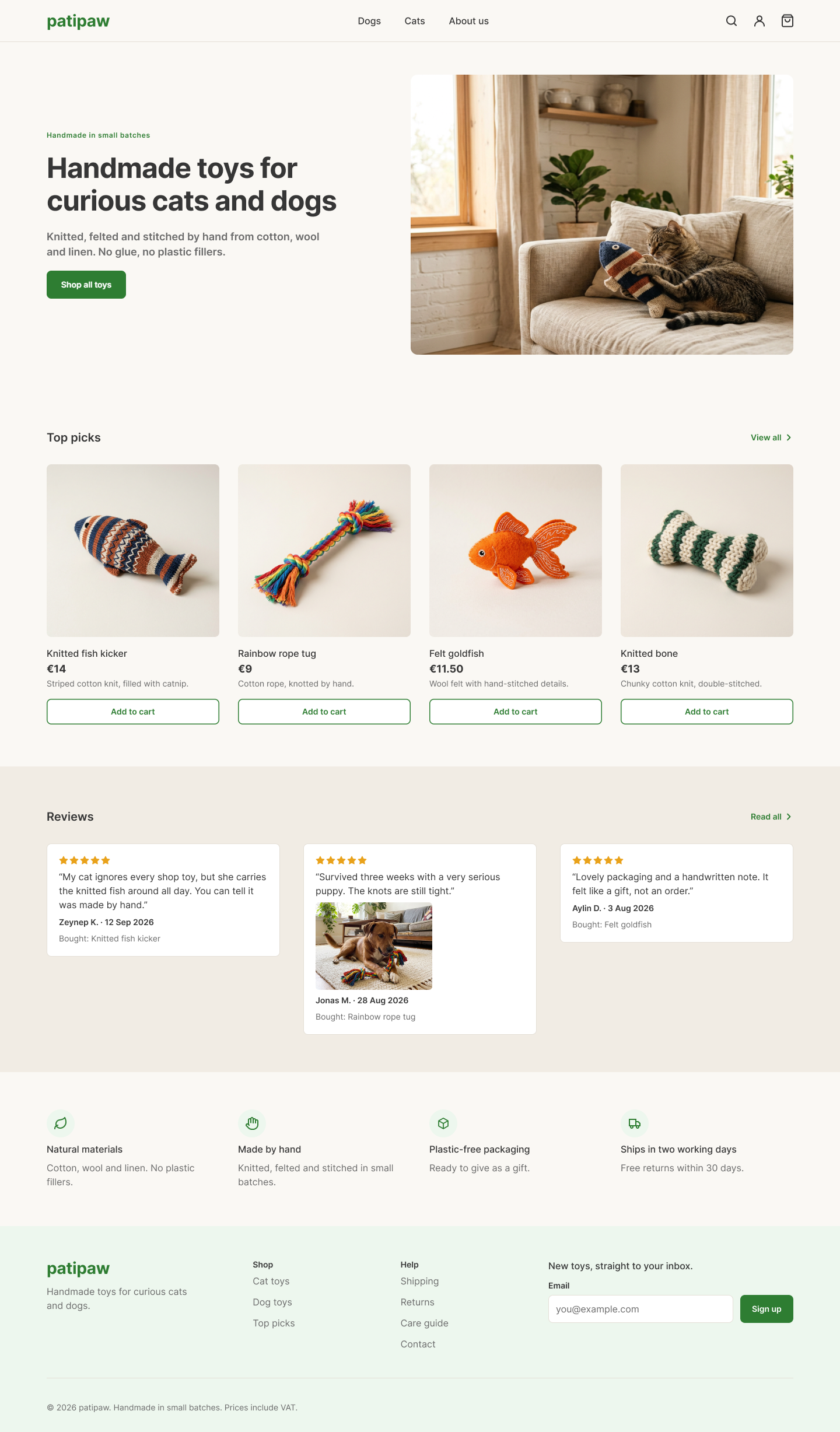
Hero, Top picks, reviews and the four promises, in the order the wireframe set. The carousel became a two-column grid, so every toy shows its material and an Add to cart button. Scroll inside the phone to see the whole page.

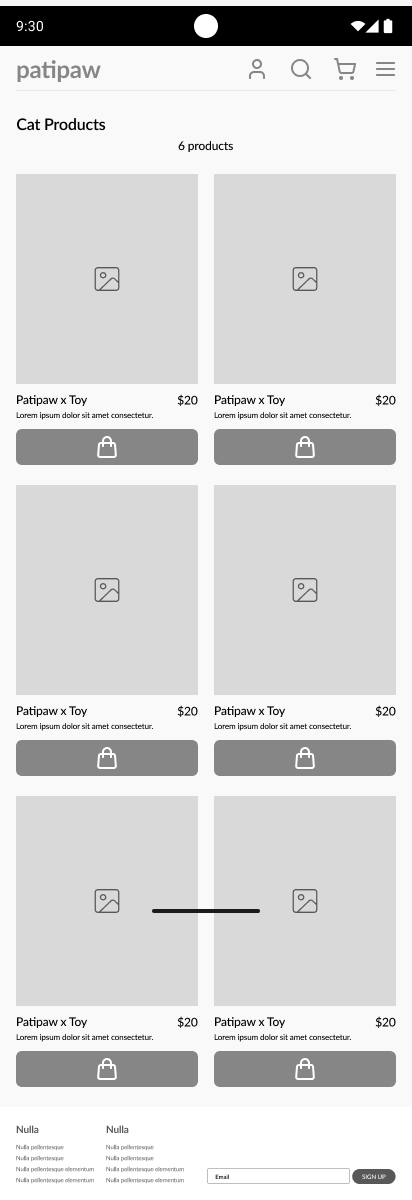
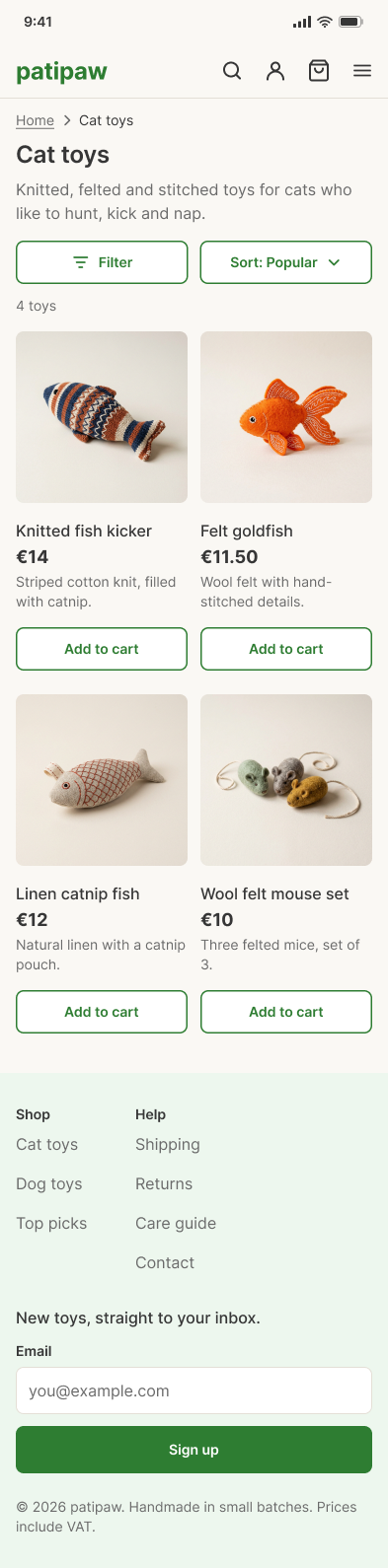
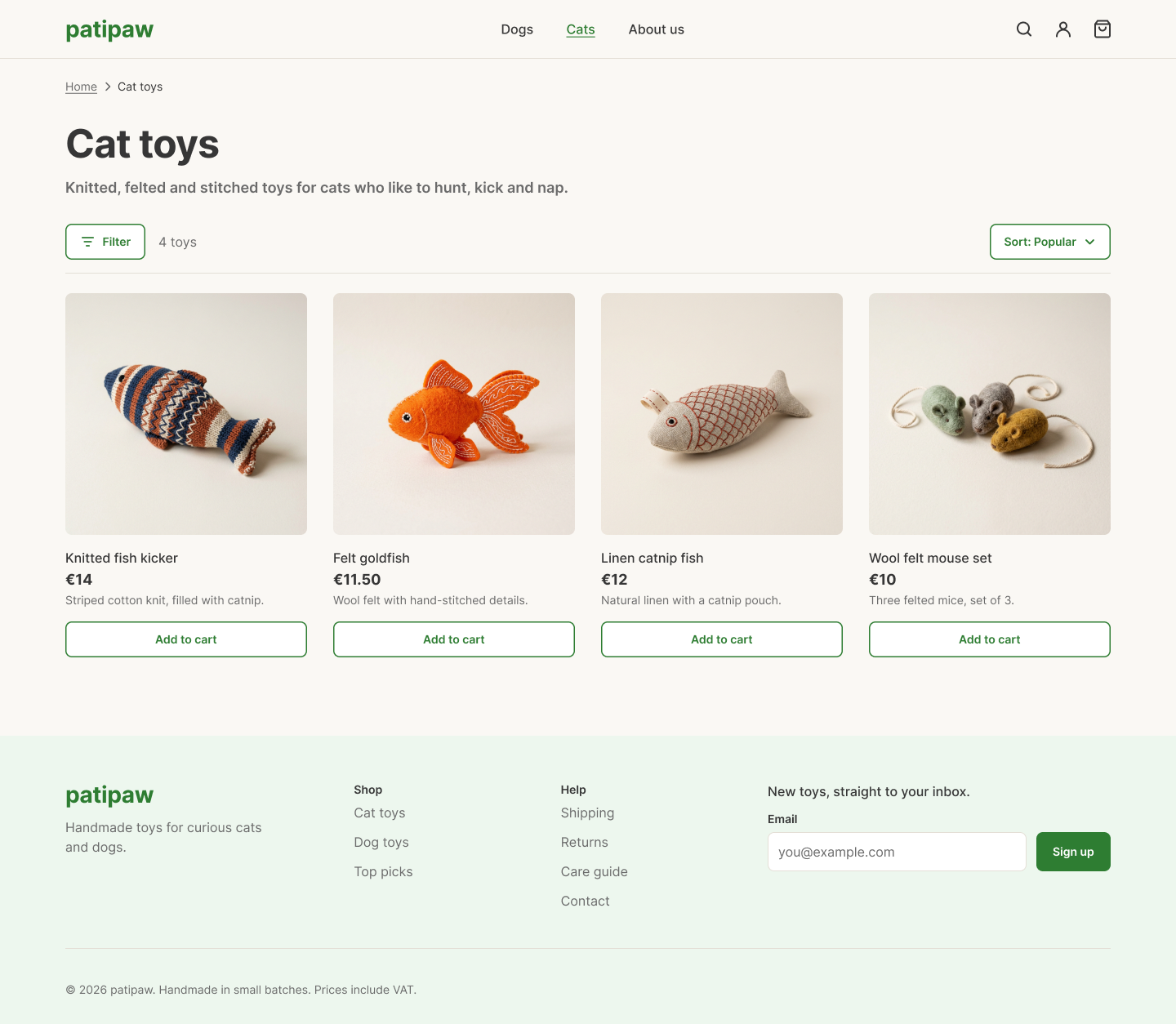
The two-column grid from the wireframe, with a breadcrumb, filter and sort, a product count, one-line materials and an Add to cart button on every card.
The project started from a small style kit with colors, type and buttons. Before designing more screens, I audited it.
White text on Green 500 measures about 2.5:1, well below the 4.5:1 that body text needs.
One green for everything: the logo and every action use Green 700 (#2E7D32), at about 5.1:1.
H2 was set to 20/28 while the spec said 24/32, and "Semibold" buttons were actually Bold.
One type scale with fixed size, line height and weight per style.
Style names had double spaces and no structure, so they didn't group in Figma.
A clean set under DS/, grouped by color, type, radius and effect. The original styles stay untouched.
The kit had buttons, but nothing the wireframes needed again and again: cards, reviews, delivery info, a footer.
Product card, review card, delivery box, quantity stepper, form field, header and footer, each built from the tokens for both mobile and desktop.
Display32/38
Page titleH1 24/32
SectionH2 20/28
Card titleH3 16/24
Body text16/24
Caption14/20
€14Price 18/24
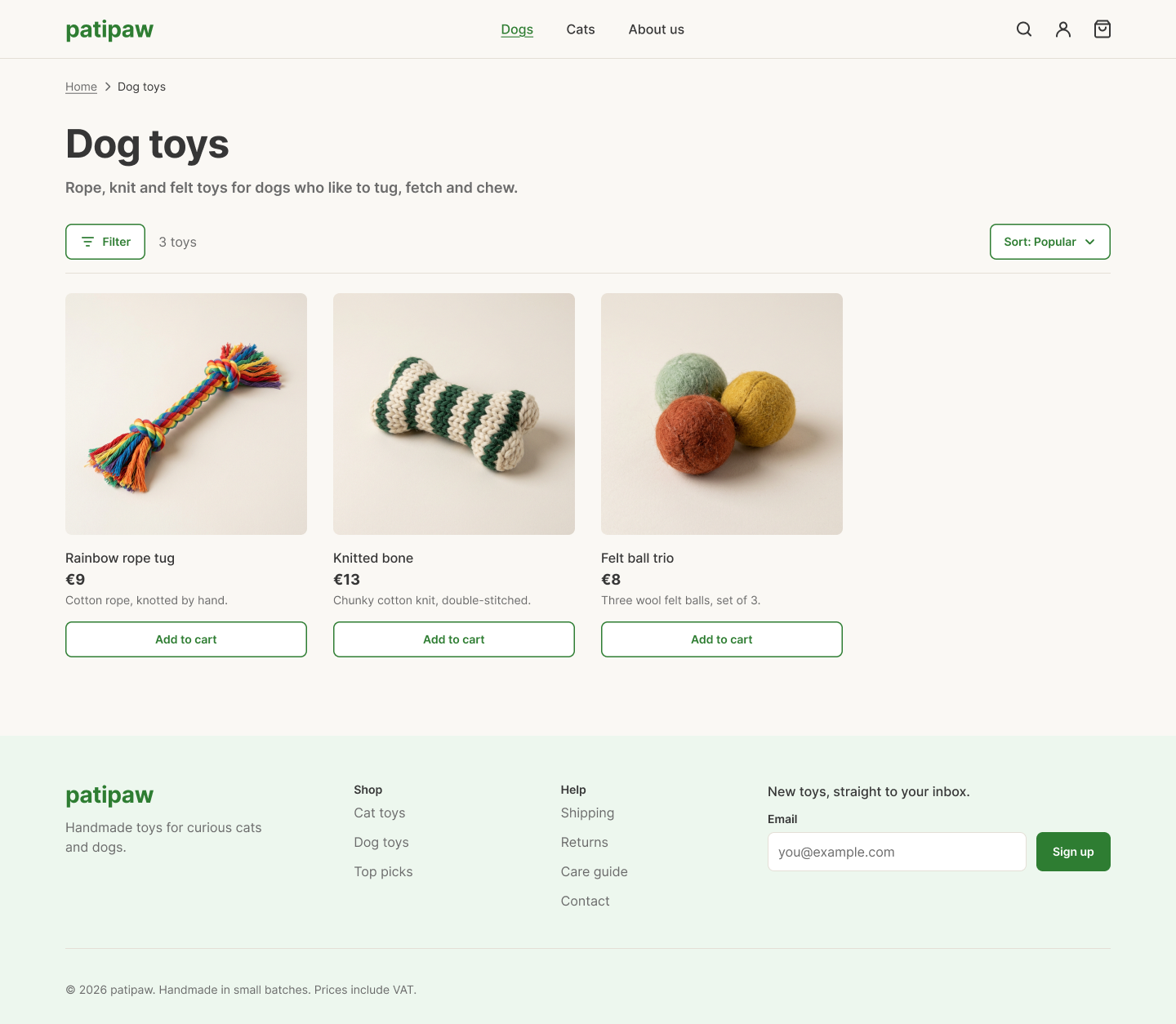
#2E7D32#363636#6B6B6B#FAF8F4#F1ECE4#E4DFD6#EDF7EE#E9A21B8999168012 / 1632On desktop the header holds the logo, the category links, search, account and the bag. Pages sit inside 80px margins and the cat and dog pages use a four-column grid. Components, colors and type are the same as on mobile. Scroll inside a window to see the full page.
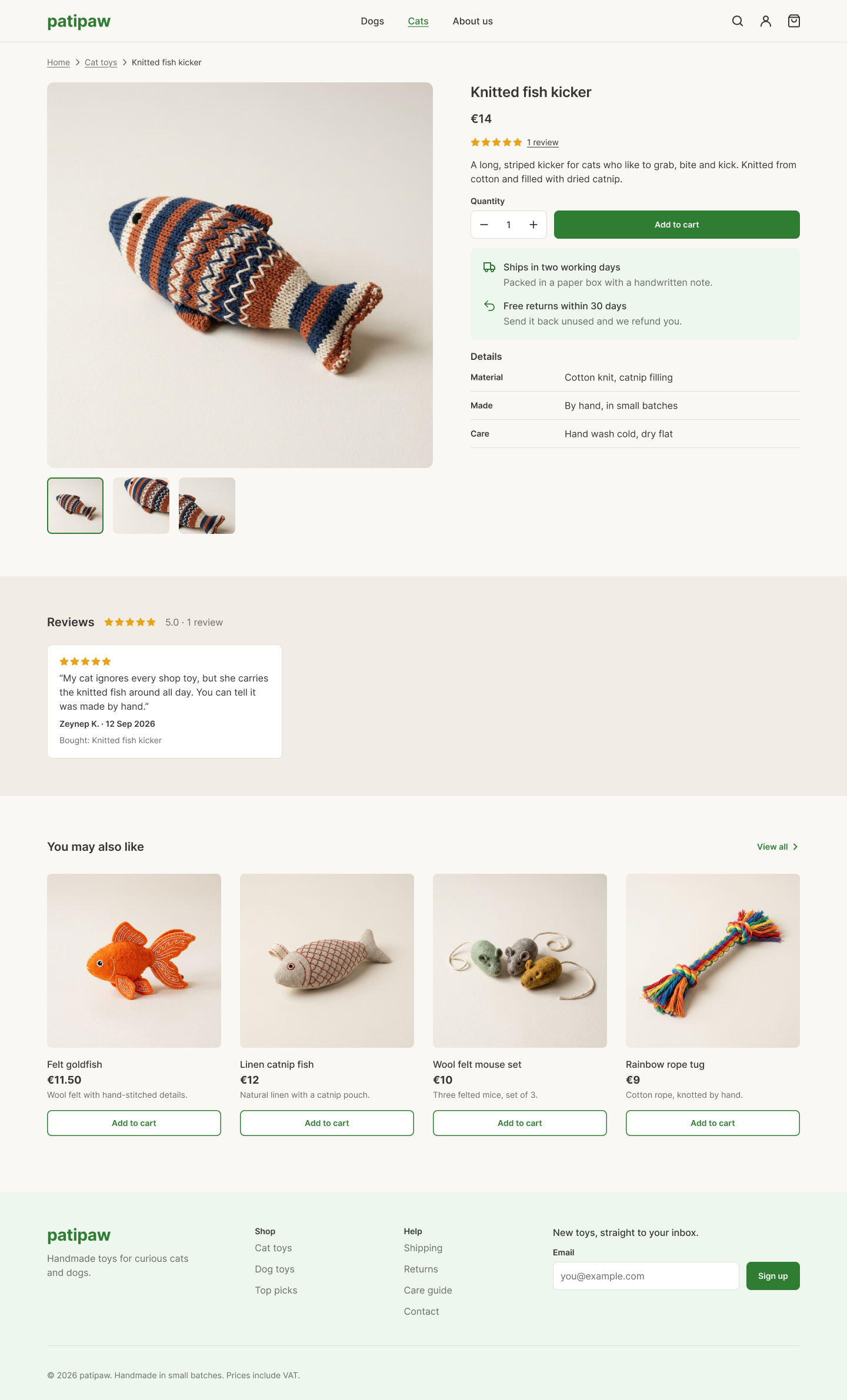
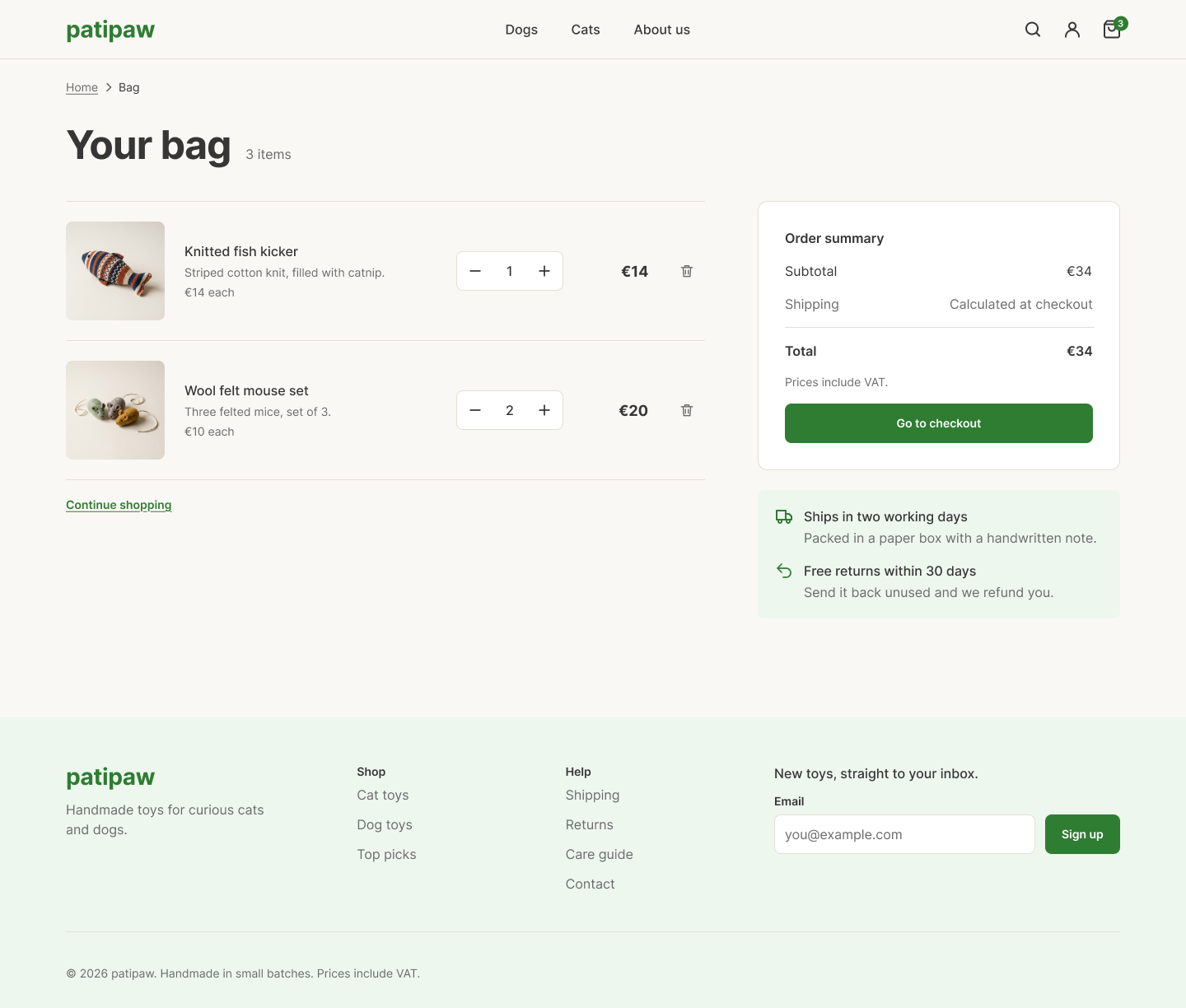
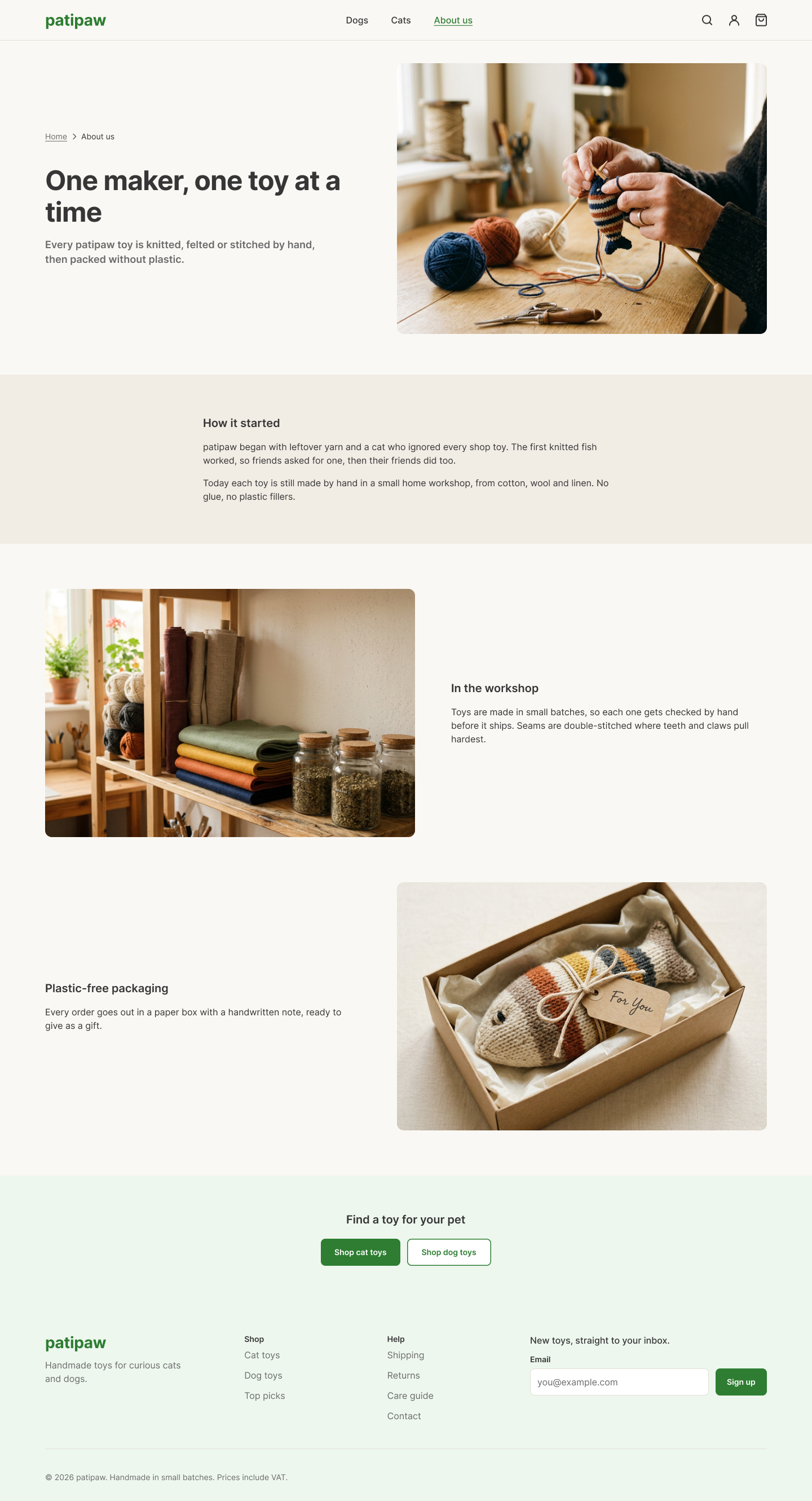
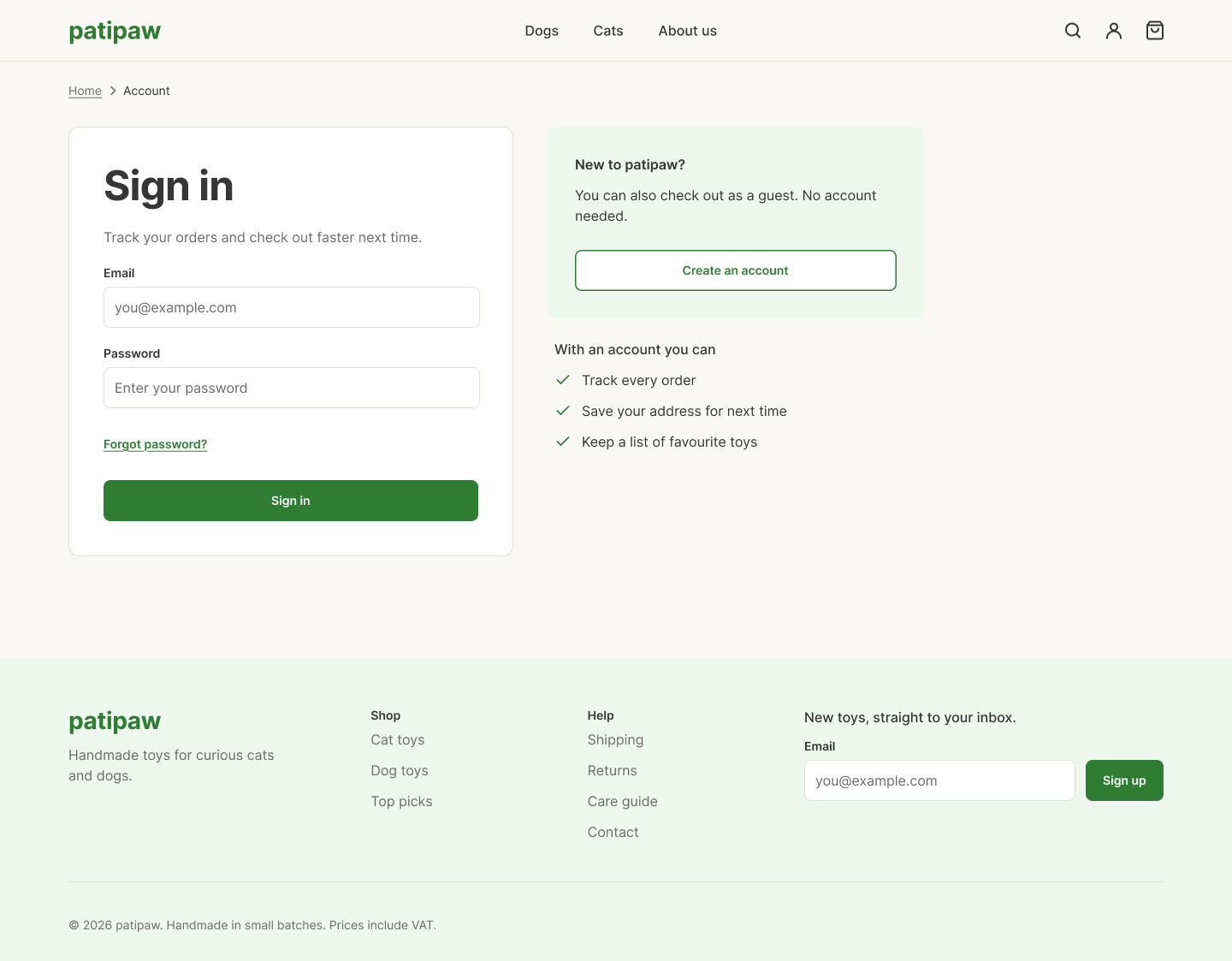
On mobile the categories move into the menu and the product grid drops to two columns. The product page and the bag stack into one column, with Add to cart and the total always in reach.
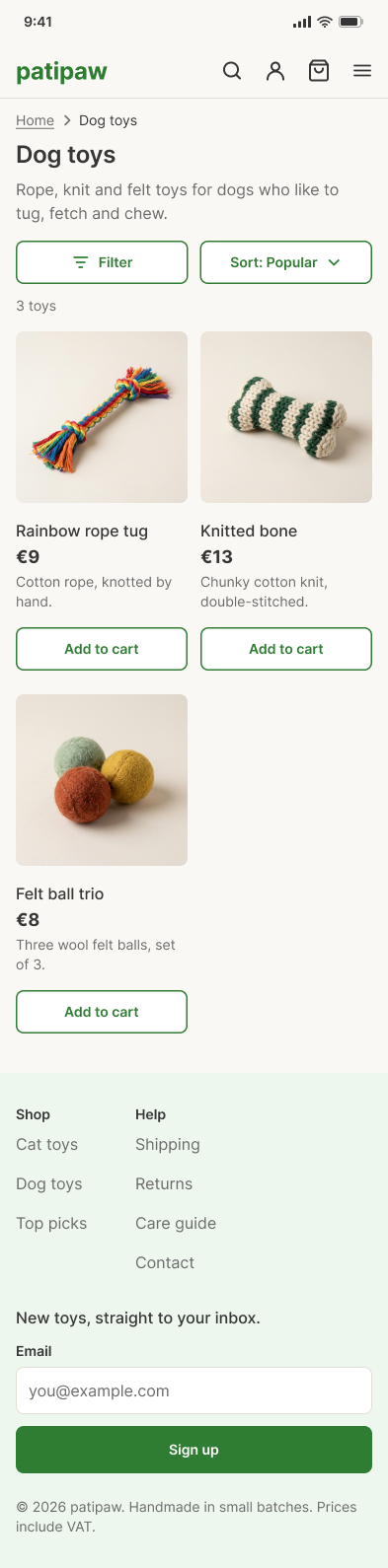

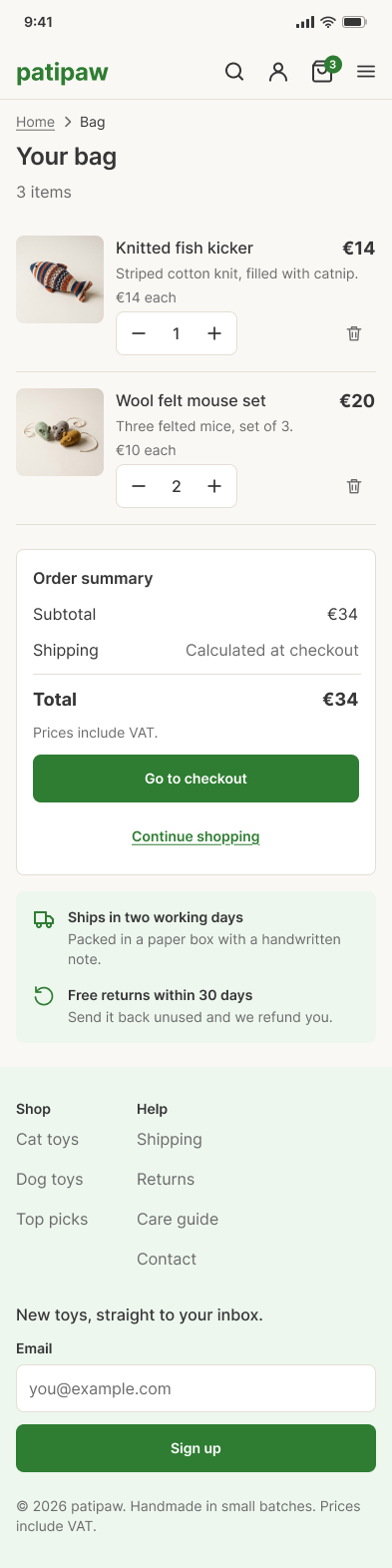

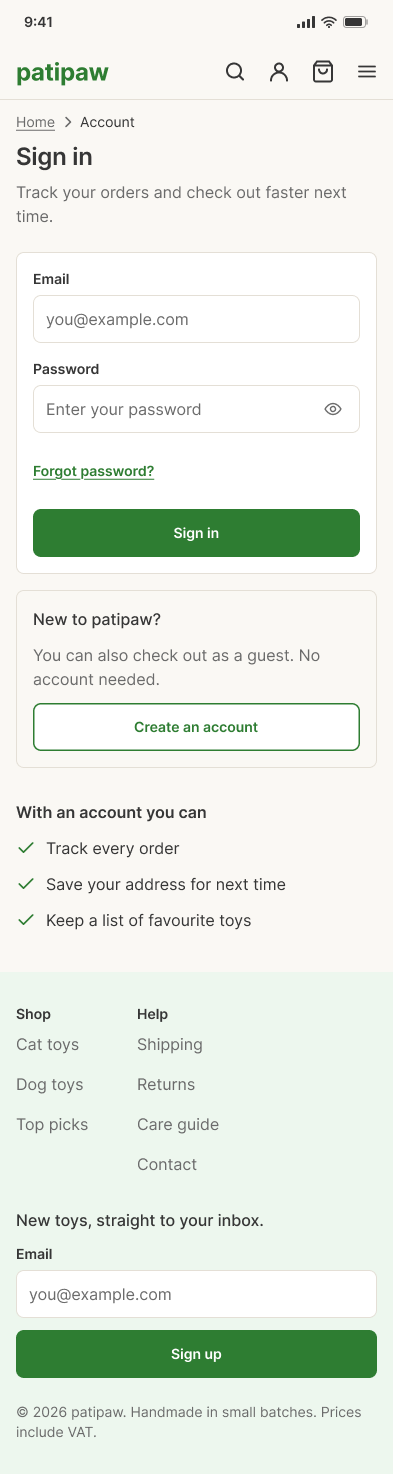
The mobile shop runs in the browser, built with the same tokens as the Figma file.
Interactive prototype
Pick a scenario to jump straight to a screen, or just use the shop.
Scenarios
Try this
The products, reviews and prices are sample data.
Research, a sitemap, wireframes for mobile and desktop, a documented design system in Figma, high-fidelity screens for both, including the product page and the bag, and a working mobile prototype.
I walked pet owners through the clickable prototype with three tasks: find a toy for their pet, find out what it is made of, and add it to the cart. Three things came out of it:
Materials first. People looked for what a toy is made of before the price, so every card got a one-line material description under the name and price.
"Is that all?" On a category page with few toys, people weren't sure the list had loaded. A product count now sits under the title.
Trust before checkout. Several people scrolled looking for returns and shipping before buying, so the four promises moved up, right after the reviews, and a delivery box now sits on the product page and in the bag.
Checkout and order confirmation, order history in the account, and a second round of testing on the desktop site.
One maker doesn't need a marketplace's depth. Two clear paths and a short list of toys were enough. Auditing the starter kit first paid off too: the contrast issue in the brand color would otherwise have repeated on every button.
Building each component for mobile and desktop at the same time kept the two versions from drifting apart.