Signal was shown by color alone
A colored icon and a raw number with no unit: unreadable without color vision or knowing the scale.
Design response
A word (Good, Fair, Weak) plus the value in dBm.
I redesigned CVM Scanner, an Android app that reads live data from emergency-vehicle equipment over Bluetooth. Then I critiqued my own redesign and built a second pass you can try below.
A German company that builds radio technology for fire and rescue vehicles fits its equipment with CVM modules: small sensors that show whether a device, like a radio, is plugged in and charging. CVM Scanner finds these modules over Bluetooth and lists their signal and live voltage, current and power. It worked, but every screen asked users to decode it.
Constraints: keep every existing feature, a German-language UI on Android, and people who check the phone at a glance, standing next to a vehicle.
What changed: a clear scan state, signal shown with a word and not only a color, and readings that line up. A second pass adds charging status, honest "last seen" times and the missing error states.
I reviewed the old screens one by one and marked every place where users had to stop and interpret.
A colored icon and a raw number with no unit: unreadable without color vision or knowing the scale.
A word (Good, Fair, Weak) plus the value in dBm.
A small spinning arc next to "Scan", easy to miss.
A clear "Scanning…" state with a radar and a way to stop.
No search, and sorting hid behind a top-bar icon.
Search and filter side by side above the list.
A gear opened renaming, readings had no hierarchy, and the empty state was one small line.
An edit icon, a card hierarchy from name to readings, and an empty state that explains itself.
Every feature is still there. Each screen now says what is happening and what to do next.
The scan is now visible: a large radar while searching, a scan bar that can stop it, and a plain "no devices found" when nothing is nearby.
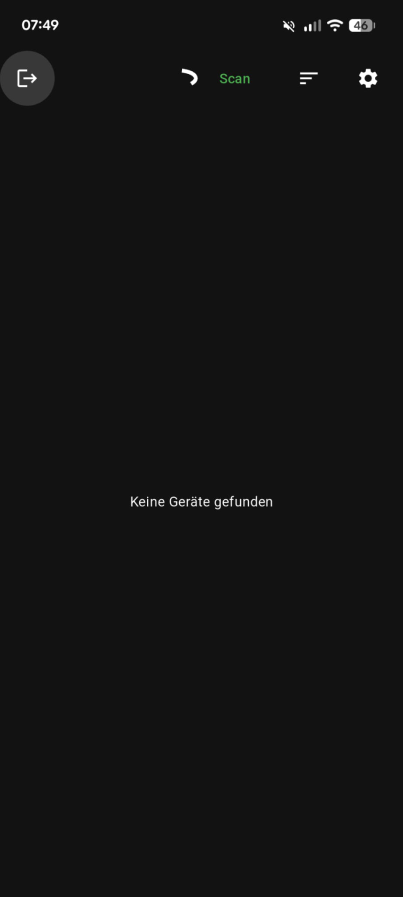
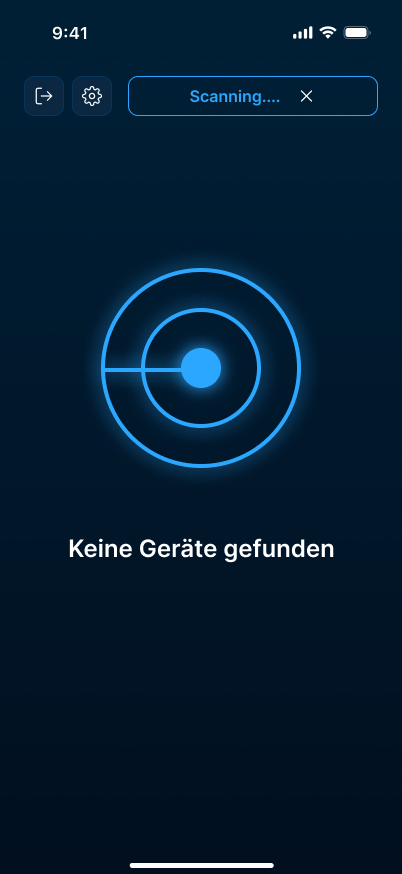
Each device is a card: name, then signal with a word and dBm, then readings in monospace so the numbers line up.
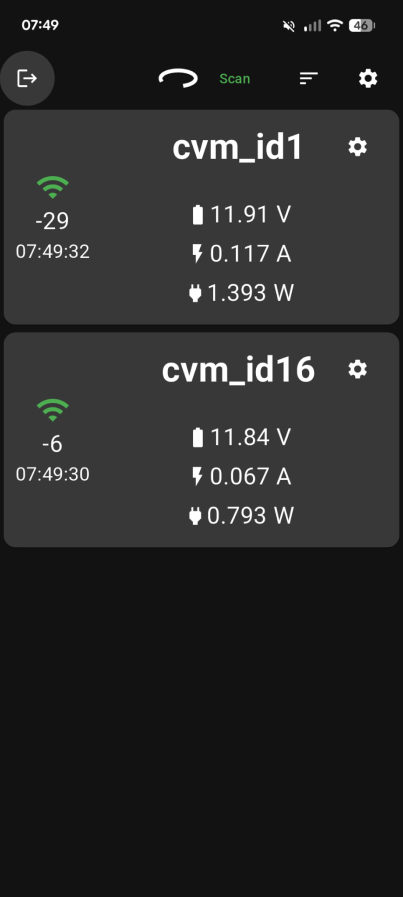
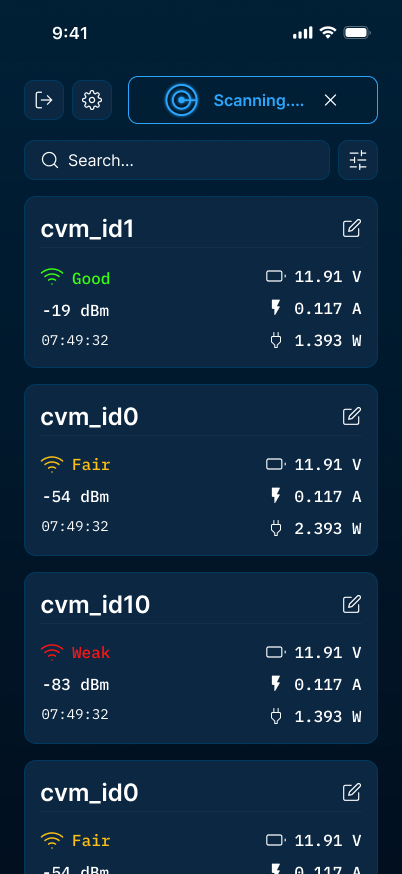
Renaming starts from an edit icon instead of a gear, and opens a focused dialog.
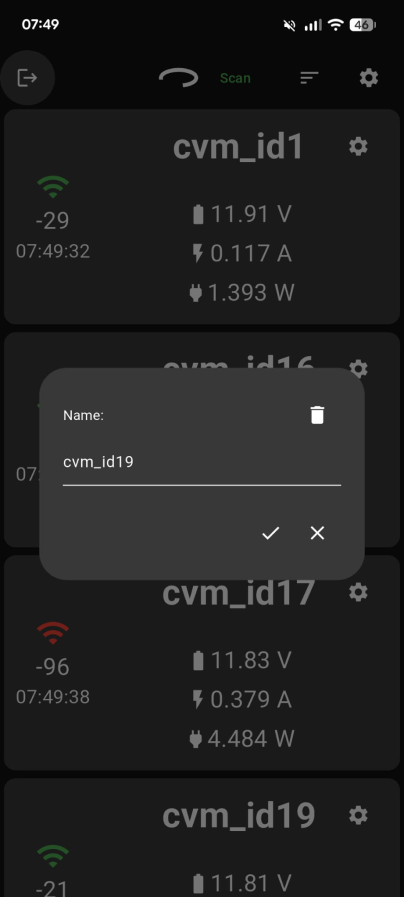
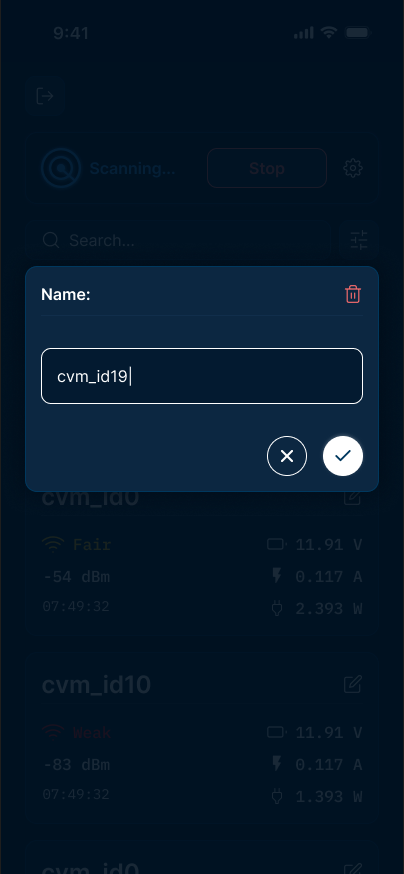
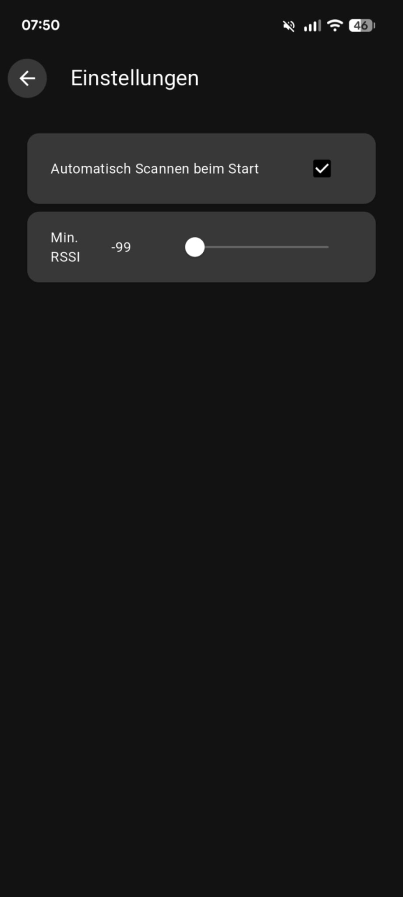
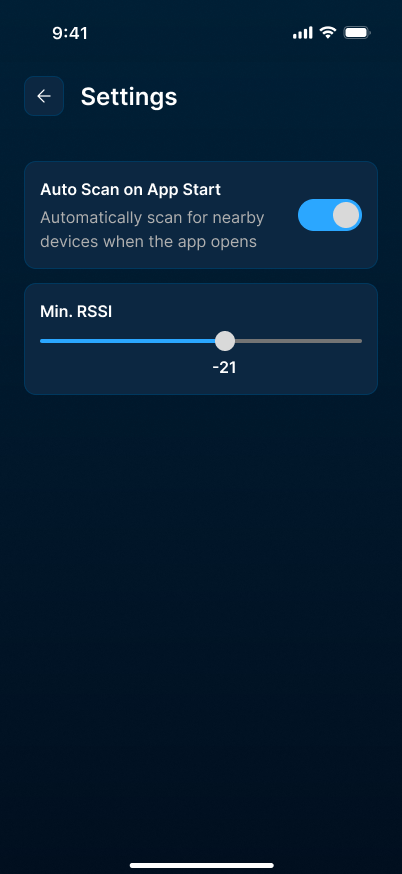
The checkbox became a toggle with a short description, and the signal slider shows its value.
The card carries most of the app, so I designed two variations: same order (name, signal, readings), different weight. The second pass builds on them.
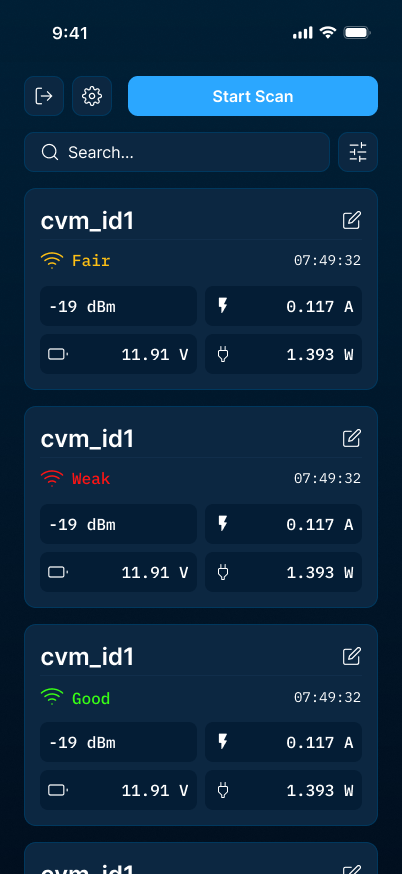
These are early variations, so the device names and numbers are placeholders.
Two typefaces, two jobs. Inter for text, IBM Plex Mono for live values, so changing digits don't jump.
A calm dark palette. Navy surfaces, one blue accent, and green, yellow and red kept for signal quality, always with a word.
Pumpe HLF 1Inter · names, labels, text
12.6 VIBM Plex Mono · live values
#FFFFFF#002037#0C2741#00385E#2BA7FF#4ADE80#FACC15#F87171-48 dBm
Fair-71 dBm
Weak-88 dBm
-52 dBm
I tried gray and black themes and more colorful cards. I dropped them: the navy felt calmer, and extra colors competed with green, yellow and red, the one place where color has to mean something.
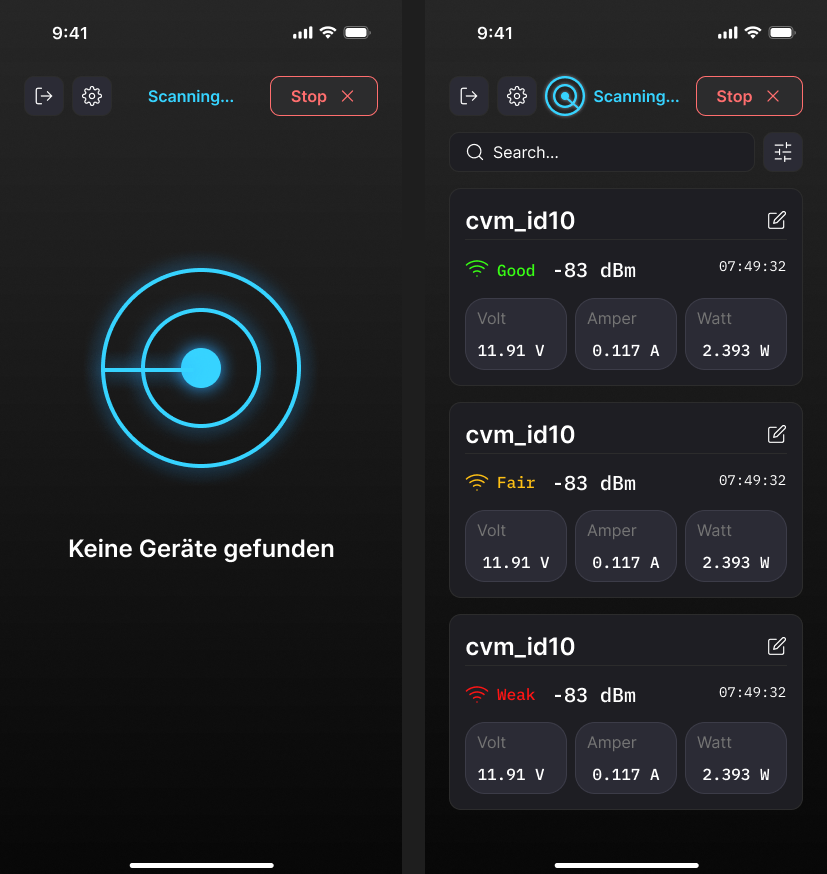
I then reviewed my redesign the way a crew member would use it: next to a vehicle, glancing at the phone to check every device is in place and charging. Eight questions were still open. This second pass answers them.
Interactive prototype
Pick a scenario to jump straight into a state, or just use the app.
Scenarios
Try this
The UI is in German, just like the real app. The data is simulated.
Users had to read voltage and current to work out a device's state.
Every card leads with a status chip: Lädt (charging), Voll geladen (full) or Nicht eingesteckt (not plugged in).
The technical ID competed with the name the crew gave the device.
The nickname is the title, the ID sits below, and unnamed devices are one tap from a name.
The empty state appeared the moment a scan started.
While scanning it says Suche nach Geräten… (searching). Only after a timeout comes an empty state with Erneut suchen (search again).
Scanning drains the battery, but stopping was not clearly offered.
A labeled stop button (×) sits inside the scan bar.
A device that went out of range kept showing its last values as if nothing happened.
Each card shows vor X s (X s ago). After 30 s it turns into Verbindung verloren (connection lost) and a banner points to it.
There was no device count and the default order was arbitrary.
A device count, problems first by default, and a sheet for sorting and filters.
Some icons had no label, some targets were too small for gloves, and logout sat next to everyday actions.
48dp targets, labeled icon buttons, higher contrast, and logout moved to a header icon.
Bluetooth off, missing permission and a lost connection were not designed at all.
Each gets its own state that explains what happened and offers the one fix.
Every screen and state of the app, the components and styles behind them, and a second-pass proposal as a clickable prototype.
Color alone wasn't enough for the signal. Once I paired it with a word, everyone could read it. Setting the values in a monospace font made the whole device list calmer, because the numbers finally lined up.
I also learned to design the error states early. Stale data or Bluetooth switched off are exactly the moments when people need the app most.